HMI for a
Robotic Kitchen
End-to-end design ownership across software, hardware, and physical product — for a machine that assembles food.
Client
Hyphen
Role
Director of Design
Scope
HMI · Industrial Design · Web · Design System
Tools
Figma · ProtoPie · Notion · CAD · Electron · React
01
The Machine
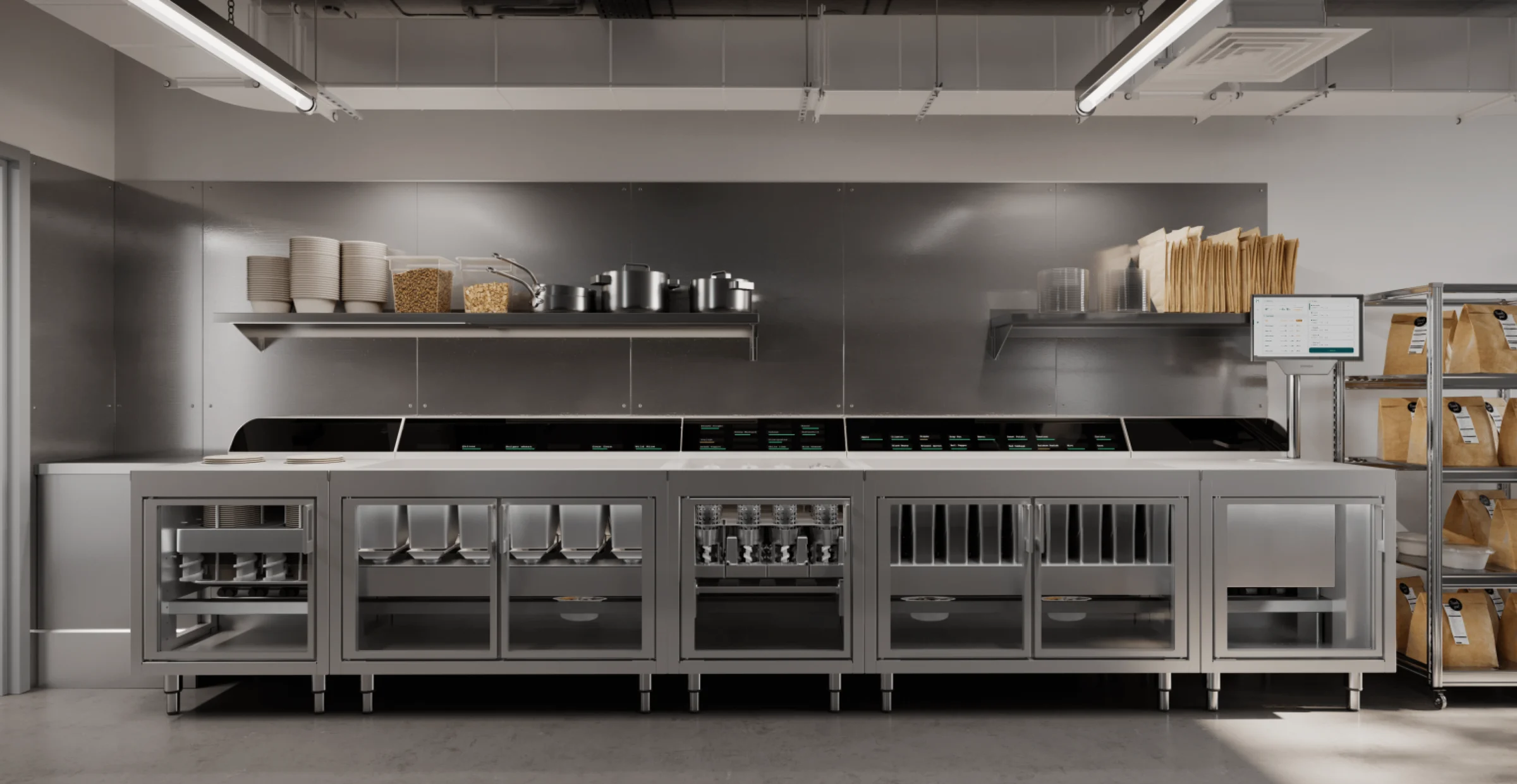
Hyphen is an automated robotic makeline — a physical system that assembles food using motorized hoppers, conveyors, and dispensers. Restaurants program it with their menus and ingredients; it handles the assembly. The design challenge is building software interfaces for a machine operating in one of the most demanding physical environments imaginable: an industrial kitchen at peak service.
As Director of Design I owned the full stack: two customer-facing HMI applications, industrial design of the physical product fascia, the company website, and the design system underpinning all of it. No prior design patterns existed for this category of product.
“Designing HMI for a robotic kitchen means the interface has to work when the kitchen doesn't.”
02
Kitchen Display System
HMI for the Makeline
KDS — makeline floor (orders + ingredient state)
The KDS is a web application (Electron-wrapped) mounted on the makeline's HMI display. It extends the traditional kitchen display — order visualization — with full hardware control: ingredient supply levels per hopper, motor and conveyor actuation, 86 and substitution flows, re-fire and expedite.
The central design problem was spatial: each ingredient has a physical location on a makeline that may be 100 feet long. Cabinet number, hopper number, and supply level all needed to be visible simultaneously without requiring the operator to navigate away from the order queue.
03
Kitchen Management System
Programming the Machine
01
Ingredients
Physical location · Dispense type · Weight · Substitution rules
02
Recipes
Ingredient quantities · Assembly sequence · Menu assignment
03
Menus
Active/inactive per location · Recipe collection · Site configuration
04
Line Build
Assigns ingredients to specific hoppers on the physical makeline per site
Traditionally there is no KMS — restaurant chains manage recipes with spreadsheets and pen and paper. The Hyphen KMS replaces that entirely while adding a layer of complexity that doesn't exist elsewhere: when you build a menu, you're simultaneously programming a physical machine. Every ingredient must be assigned to a specific hopper with a physical location on the makeline.
The line build step — the last of four stages — required designing for multiple data types, multiple spatial visualizations of the makeline, and hopper assignment logic on a single page without overwhelming corporate culinary users who are not technical.
04
Industrial Design
Light Guide System
Communicates error states and ingredient guidance to operators through edge-lit channels integrated with the fascia stack.
LED Cabinet Display
Surfaces a limited menu view for resolution workflows and catch-up context without pulling attention off the makeline queue.
Bowl Positioner
A five-link armature system that moves a bowl under any of six portioning stations with repeatable alignment for high-throughput service.
Physical product design under real manufacturing constraints — not speculative. Light guides, cabinet displays, and bowl positioning hardware had to read clearly under harsh kitchen lighting while surviving vibration, heat, and daily teardown for cleaning.
05
Outcomes
2
HMI products shipped
KDS and KMS both delivered to MVP and deployed to pilot restaurant locations nationally
4
Surface types owned
HMI software · physical product · web · design system — all within one director-level IC role
0→1
New product category
No prior design patterns for robotic makeline HMI. Both products built from first principles. A digital-doubles POC explored rendering fidelity for operator training.
Design System
Figma component library built atoms-up — UI primitives, variants, responsive patterns — shared across KDS and KMS surfaces
Documentation Standard
Notion-based source-of-truth docs for every shipped feature: hi-fi mocks, flows, sub-component breakdowns, logic and policy specifications
usehyphen.com
Design and implementation of the company marketing site, extending the brand system into the corporate customer and partner context
Next project
Apple — Autonomous Vehicle ToolingInternal AV tooling